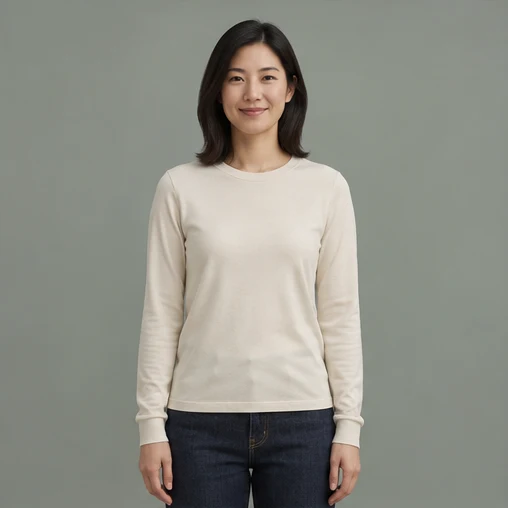
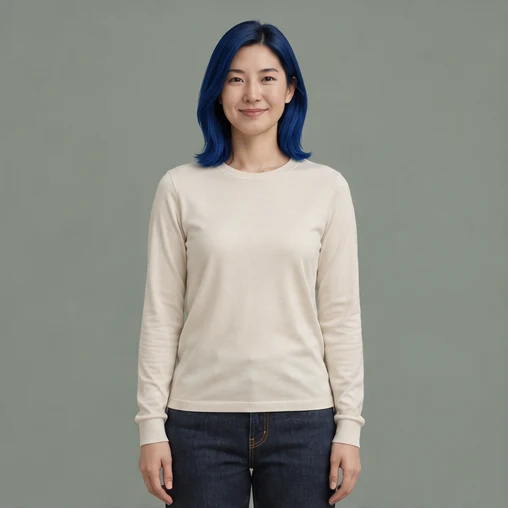
AI person edit · hair colour
Style, makeup and facial features stay; only the hair colour changes
Try a hair colour, hairstyle or accessory outside the face. The edit preserves facial features, identity, expression and skin tone. New accounts start with 12 credits, and you can load a sample before signing up.
Switch to another tool — the current picture comes along.
See what each tool does before you start.
Style, makeup and facial features stay; only the hair colour changes
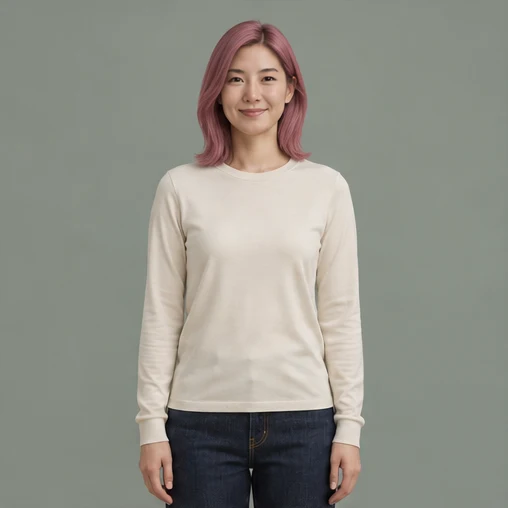
Same portrait, a new colour to preview
Person editing is a constrained edit: every instruction includes preserving facial features, face shape, skin tone, pose, background and lighting. That is why the result reads as the same person with a different look rather than a different face wearing the same clothes.
The built-in instruction preserves facial features, face shape, skin tone and expression, and the model treats identity as the constraint it must not break. Compare the eyes and hairline with the original anyway — those two carry most of a likeness and drift first.
Try one change to hair colour, hair length, hairstyle or an accessory outside the face.
The edit keeps facial features, identity, expression and skin tone intact.
Pick a photo, or start from one of the examples below.
Choose the options you need; the prompt can stay empty.
Check the result and download it when you are happy.
This focused page uses the same editing flow as the AI Image Editor.
Upload or import a relevant example
Upload a JPG, PNG, or WEBP file, or start with an example selected for this tool.
Choose Edit Person and refine the request
Use a preset for the current tool and add a specific instruction when needed.
Generate, compare, and continue editing
The result joins the version timeline so you can restore the original, use another tool, or export the active version.
This page also covers these common tasks and search intents.
You can change hair colour, length and style, or add accessories outside the face. Upload a clear, evenly lit portrait and describe one change at a time.
The instruction asks the model to preserve features, face shape, skin tone and identity, and it holds well on sharp, front-facing photos. Always compare with the original before publishing: if the eyes or hairline drifted, rerun the same edit rather than adding more instructions.
One, or two at most — hair colour alone is the safest. The more you ask for, the more likely other details shift, and the harder it is to tell which request caused it. If you need three changes, run three edits, each with the previous result as the new input.
Yes. You can ask to keep the background, clothes and lighting exactly as they are.
It edits one person per run, so on a group photo name who you mean — 'the woman on the right in the blue jacket' — and check the rest of the frame afterwards. Everyone else should stay untouched, but small details close to the edited area, such as a strand of hair, can still shift.
Upload an image, select the current tool, use a preset or add a specific instruction, and generate. The result joins the version timeline for continued editing or export.
Browse every image tool, or start from a blank prompt in the AI Image Generator.